This guide introduces the current Fleet 77 interface using application screenshots. Figures shown are examples and do not represent live fleet performance.
Overview
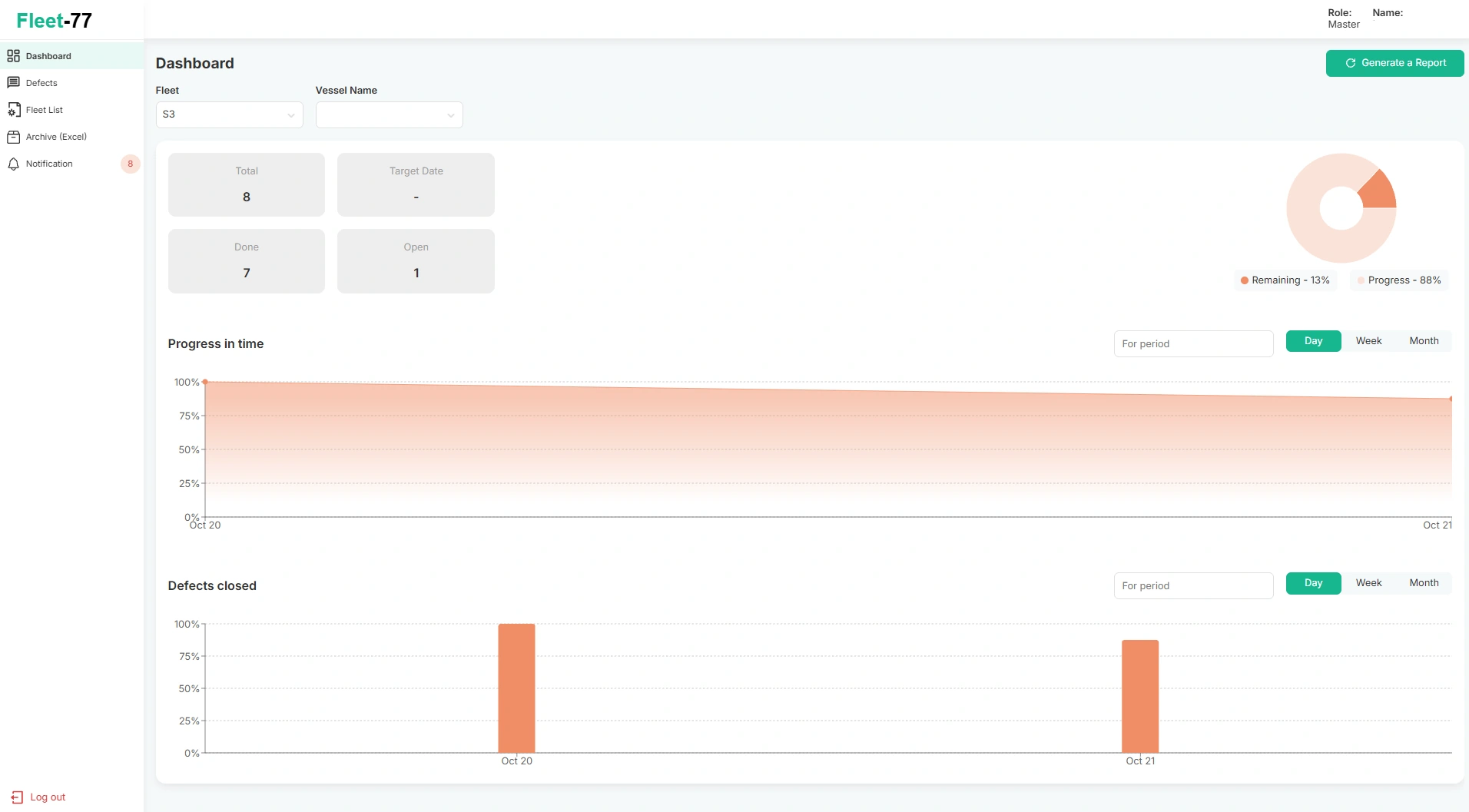
The dashboard shows total, completed and open defects for the selected fleet and vessel, with a progress chart and date-based trends. The sample view shows 8 recorded items, 7 completed and 1 open.
Fleet and vessels
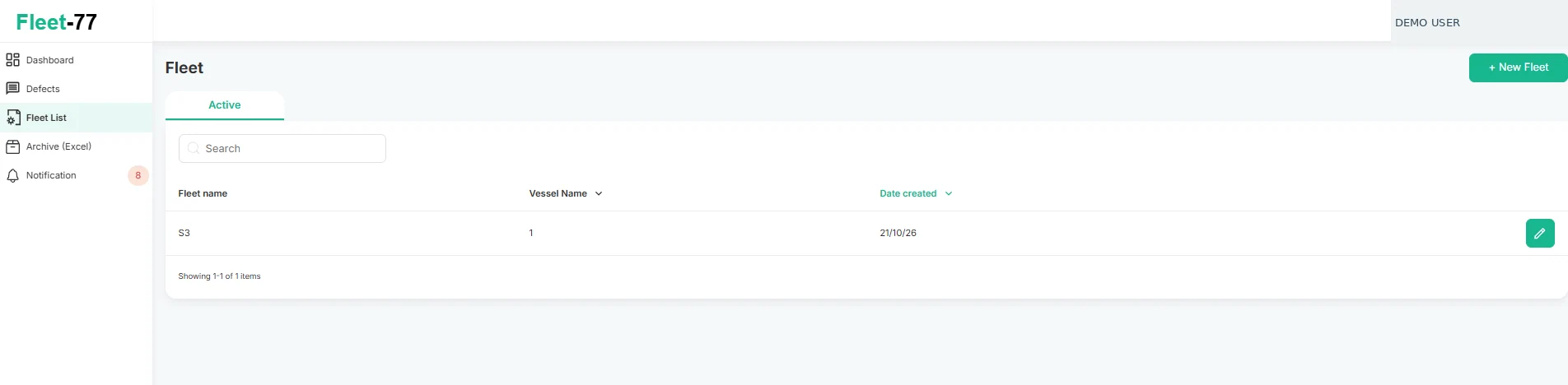
Use Fleet List to create and manage fleets and their associated vessels. Select a fleet to see its vessel count and edit its configuration.
Edit fleet
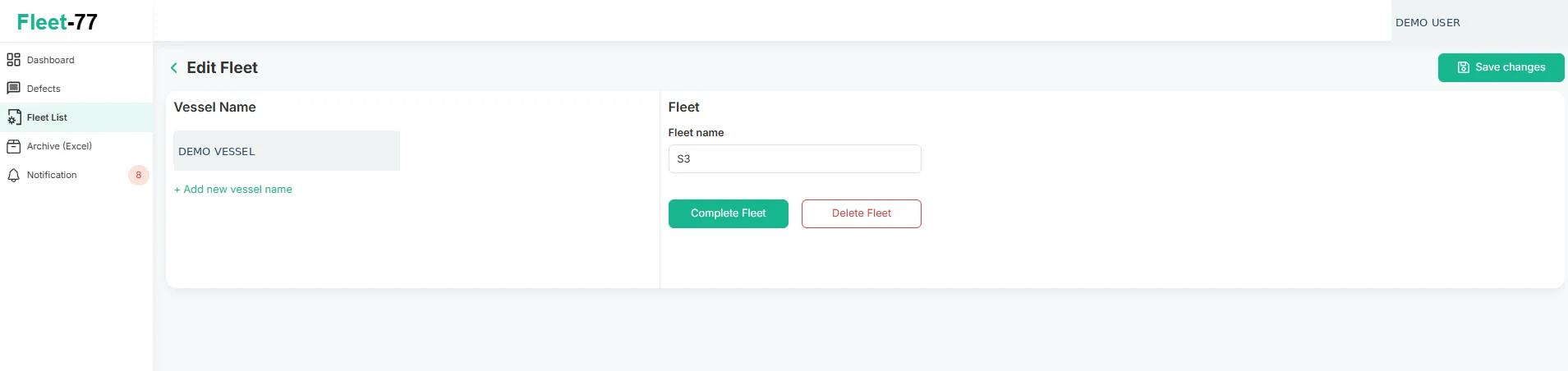
Within a fleet, vessel names can be added, renamed or removed. The screen also provides controls to save changes, complete a fleet or delete it.
Defect register
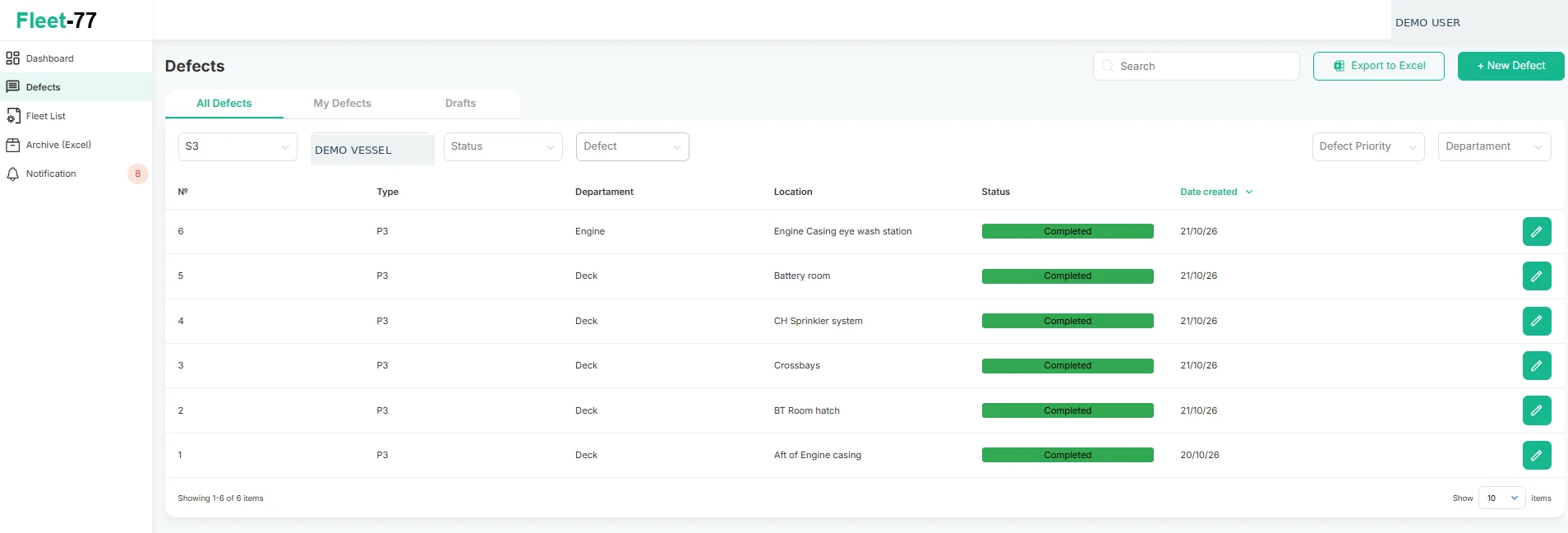
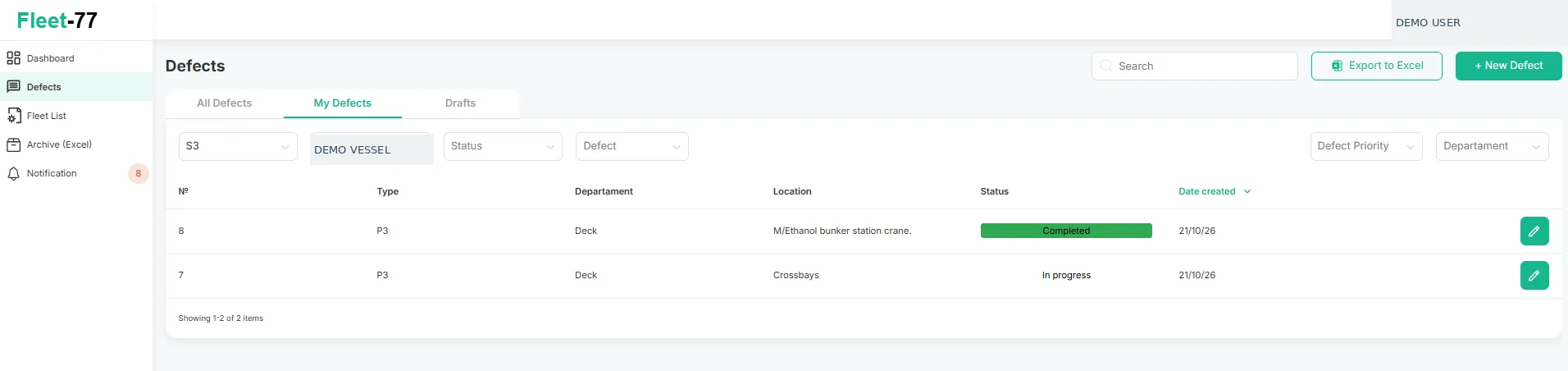
The Defects screen provides All Defects, My Defects and Drafts tabs. Filter by fleet, vessel, status, priority or department; search the register or export it to Excel.
My defects
My Defects shows records associated with the current user, separately from the full defect register. Each row includes a reference number, department, location and current status.
Defect details
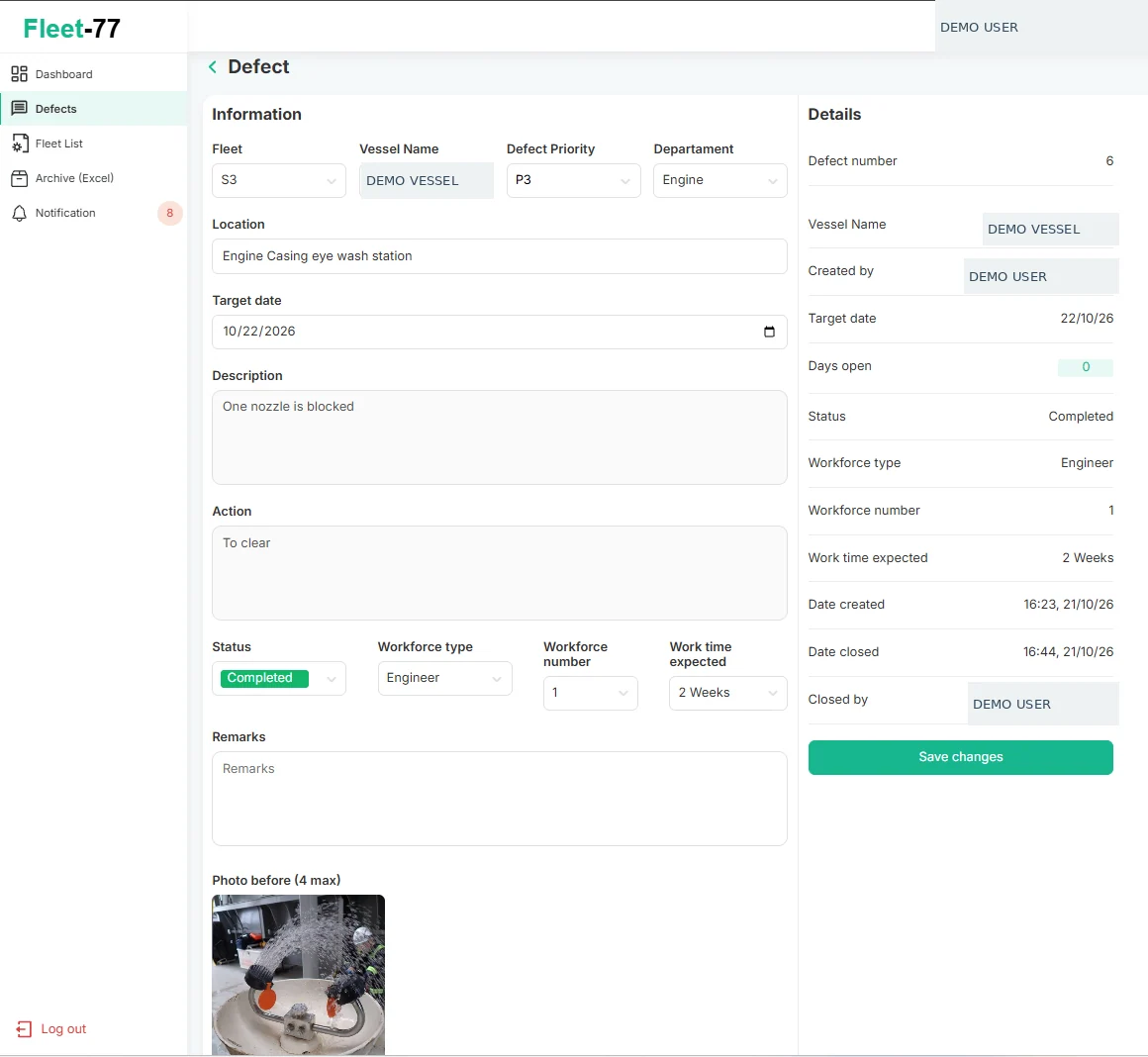
A defect record includes fleet, vessel, priority, department, location, target date, description, required action, status, workforce type and number, expected work time, and remarks. The details panel records the creator and closure history.
Before-and-after photos
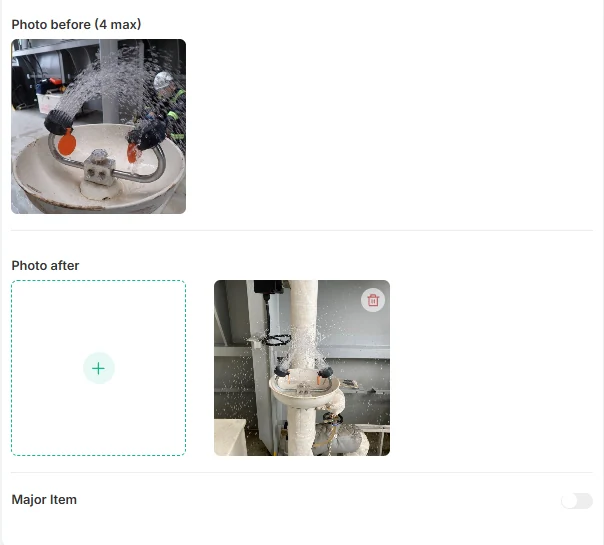
Attach photographic evidence directly to the maintenance item. The form supports up to four “before” photographs and provides a separate “after” photo area, keeping the condition and completed work together.
Notifications
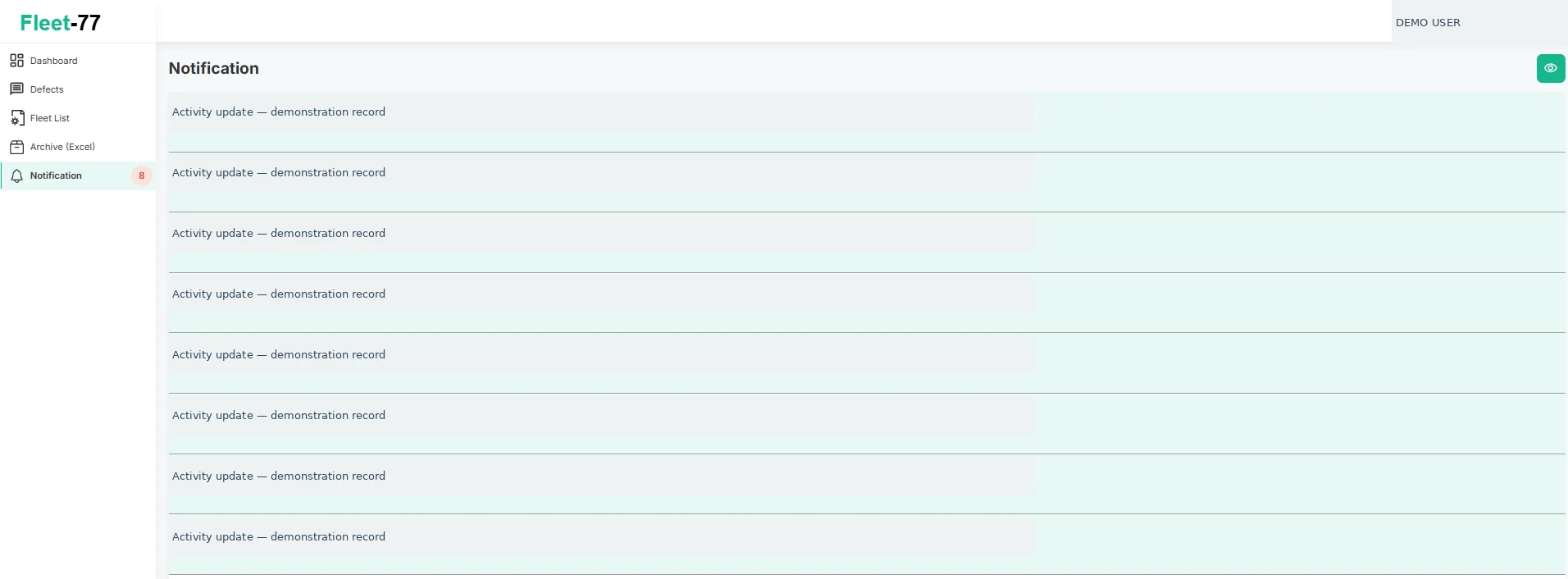
The notification feed records activity such as new comments and closure actions, showing the action, related project, item number and time.
Excel reports and archive
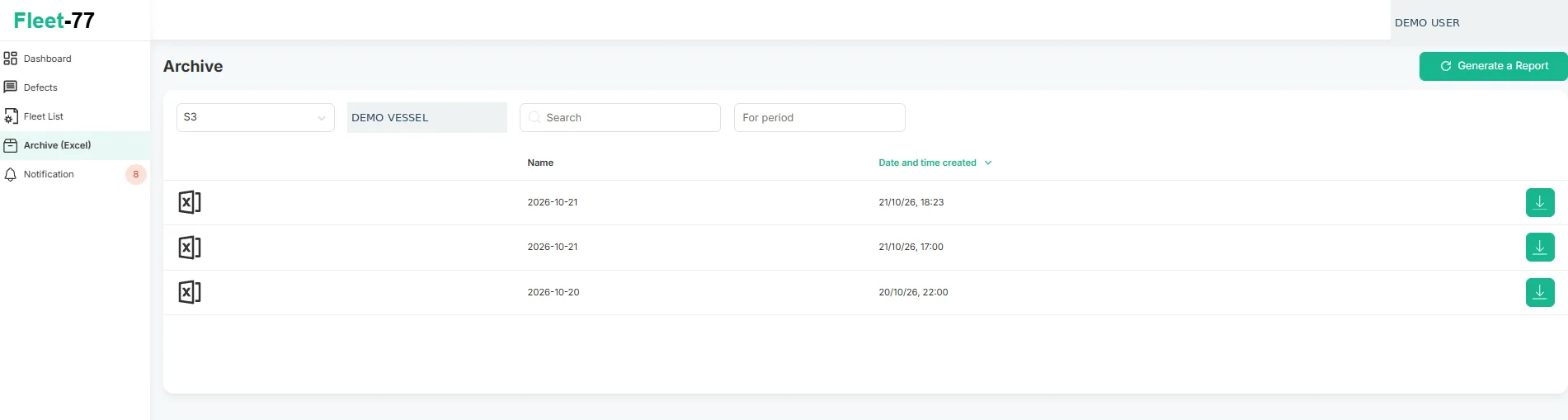
Generate Excel reports and retrieve previous exports in the Archive section. Filters are available for fleet, vessel, search and reporting period.
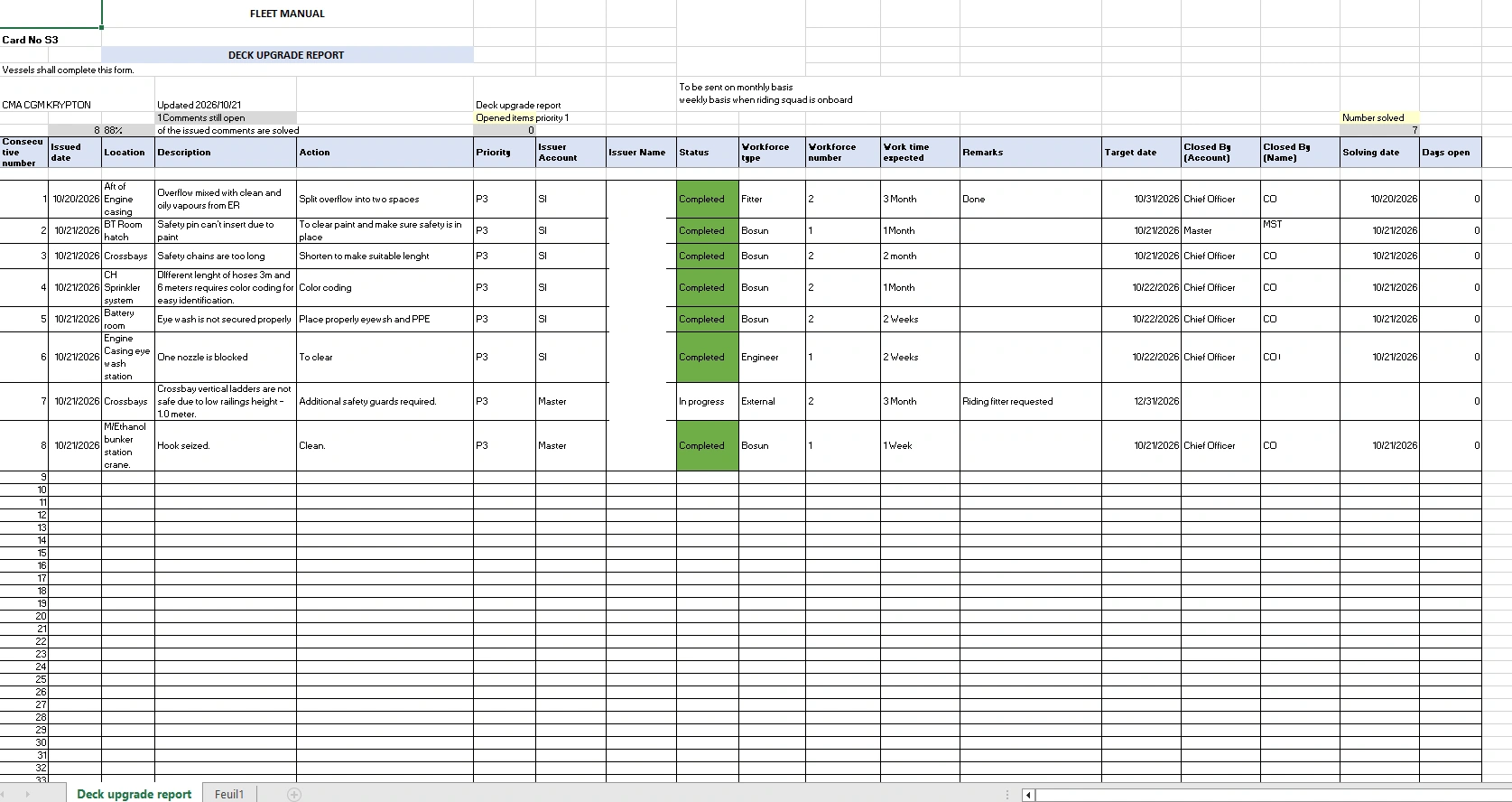
Example Excel report
The generated maintenance report consolidates numbered defects, location, description, required action, priority, workforce, target date, status, remarks and closure information in a familiar spreadsheet format.
For product enquiries or demonstrations, contact info@nbct.app.